








Most teams I work with already have an email platform in place.
The friction becomes apparent later, when templates start piling up, collaboration becomes messy, or design work slows campaigns down more than the send volume ever did. At that point, the question is not whether your email solution works; it’s whether it works for you.
I compiled this list of the best email template builders for teams who already live in the category and care more about reliability than novelty. Instead of ranking tools from best to worst, I’ve highlighted where a builder consistently performs well, not where it tries to do everything.
My recommendations are grounded in G2 review data with product capabilities aligned with how teams use these tools. You get to see which tools earn trust in real-world email programs.
7 best email template builders for 2026: My top picks
| Best email template builders | Best for | G2 Rating | Pricing | Likelihood to recommend |
| Constant Contact | Collaborative email template design | 4.1/5 ⭐ | Starts at $12/month | 86% |
| ActiveCampaign | Integration with marketing automation | 4.5/5 ⭐ | Starts at $15/month | 87% |
| Dotdigital | AI-powered design suggestions | 4.4/5 ⭐ | Available on request | 90% |
| Braze | Testing email templates across clients | 4.5/5 ⭐ | Available on request | 90% |
| Brevo Marketing Platform | Drag-and-drop email design | 4.5/5 ⭐ | Starts at $9/month | 91% |
| Omnisend | Creating responsive email templates | 4.6/5 ⭐ | Starts at $11.20/month | 91% |
| Flodesk | Multi-language email templates | 4.5/5 ⭐ | Starts at $19/month | 89% |
*These are the leading video hosting platforms on G2 as per our Winter 2026 Grid Report.
How did I select the best email template builders for this list?
When I choose the best tools for each use case, I start with G2 Data. I look at a product’s category performance, including its G2 Score, satisfaction ratings, and feature-level strengths. This helps me understand which tools consistently perform well before I narrow them down to more specific scenarios, like industry-focused workflows.
From there, I delve into review insights to see what real users have to say. I look for patterns in pain points, frequently praised features, and feedback from people in the same roles or industries that the use case targets. The recommendations you see reflect that mix of quantitative scoring and qualitative sentiment, focused on the tools that repeatedly show up as the strongest fit for that specific need.
Which is the top tool for collaborative email template design?
My pick: Constant Contact
When collaboration is the focus, the real test is whether multiple people can work on the same template without slowing each other down. I pay attention to how the edits and shared ownership are handled clearly once templates move beyond a single creator.

Constant Contact stands out in this use case because its G2 satisfaction signals strongly support collaborative use. Reviewers score the platform at 98% for overall satisfaction, indicating that it consistently meets expectations for teams collaborating on email creation. It also achieves mid-to-high 90% scores for ease of use and meeting user requirements. Those signals align with review themes around shared access, reusable templates, and predictable editing behavior, making collaboration feel like the default state rather than an add-on.
Constant Contact pros and cons
| Pros | Cons |
| G2 users like having templates that are easy to share and reuse, especially when multiple people contribute to the same campaigns. | Some users note that the design controls can feel a bit structured for highly custom layouts. |
| Many reviewers highlight an editor that teammates can jump into without much ramp time. | Others mention that collaboration is smoother for small to mid-sized teams than for complex approval chains. |
| Teams also appreciate consistency in saved layouts, which helps keep campaigns on-brand across different creators. | A few reviewers point out that advanced workflow controls (like granular roles) are more limited. |
Constant Contact alternatives for collaborative email template design
- ActiveCampaign: If you want collaboration with deeper automation attached.
- Beefree: If your team prioritizes flexible, design-heavy layouts.
- Campaign Monitor by Marigold: If you want shared templates with strong brand consistency controls.
Which email template builder integrates with marketing automation?
My choice: ActiveCampaign
Email templates hit different constraints once they’re wired into automations. I care most about whether I can update messaging, swap modules, and reuse layouts across journeys without having to rebuild the entire flow with every edit.
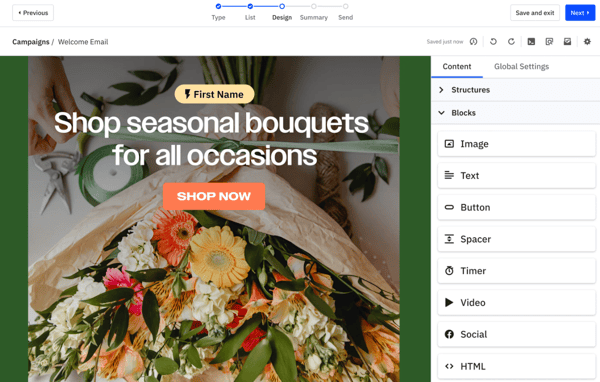
ActiveCampaign is the tool I point to for this use case because its reviewers consistently talk about templates and automation as one connected workflow. It holds a 99% satisfaction score, which signals strong alignment between expectations and day-to-day use. Its 93% market presence also suggests it’s a common choice for teams running ongoing lifecycle campaigns. In G2 review themes, this is reflected in confidence in reusing templates across automations, editing content without losing context, and keeping creative work closely tied to campaign logic.
ActiveCampaign pros and cons
| Pros | Cons |
| Users like that templates sit close to automations, so building emails for sequences feels direct. | Some users note the editor is more functional than design-first for highly custom layouts. |
| Many reviewers highlight template reuse across multiple journeys with minimal rebuild work. | Others mention that collaboration works best with clear ownership rather than many people editing the same asset. |
| Teams appreciate being able to adjust email content while staying oriented in the workflow. | A few reviewers point out it takes a bit of time to get fully comfortable in the builder. |
ActiveCampaign alternatives for integrating marketing automation
- GetResponse: If you want automation plus broader campaign tooling in one platform.
- Omnisend: If your automation is ecommerce-led and speed is your top priority.
- Salesforce Marketing Cloud Engagement: If you’re running enterprise-scale orchestration with complex journeys.
Which email template builder offers AI-powered design suggestions?
My top pick: Dotdigital
AI only helps if it reduces manual decisions, not if it adds another layer to manage. For this use case, I focus on whether design assistance actually speeds up template creation and helps teams make better layout or content choices without constant tweaking.
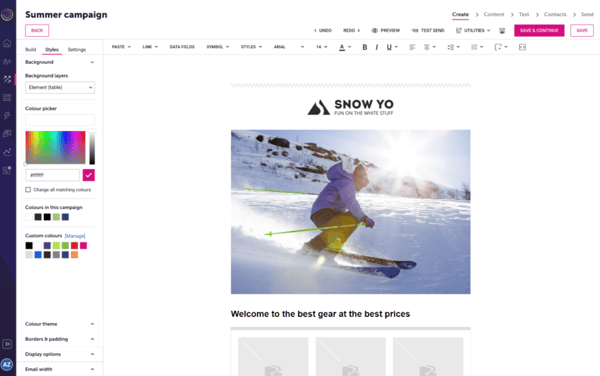
Dotdigital earns this spot based on how reviewers talk about intelligent assistance inside the builder. It carries an 84% satisfaction score, reflecting steady alignment with user expectations, particularly for teams making data-driven design decisions. Its 83% market presence also points to consistent adoption among organizations that want more than static templates. G2 review sentiment shows teams using AI support as practical guidance for layout choices, content optimization, and personalization inputs.
Dotdigital pros and cons
| Pros | Cons |
| G2 users highlight AI features that assist with content and layout decisions, rather than replacing manual design work. | Some users mention that the AI tools are most effective once the platform is fully set up. |
| Many reviewers note that suggestions feel grounded in customer and campaign data. | Others find the editor less flexible than design-first builders. |
| Teams find the guidance helpful for refining templates without having to start over. | A few reviewers note that it takes time to learn how to maximize the value of AI-driven suggestions. |
Dotdigital alternatives for AI-powered design suggestions
- ActiveCampaign: If you want AI assistance closely tied to automation logic.
- Beefree: If visual freedom matters more than guided design.
- Braze: If you need intelligent tooling inside an enterprise engagement platform.
Which is the best platform for testing email templates across clients?
My top pick: Braze
Template testing becomes more challenging once emails need to render correctly across various devices, inboxes, and customer contexts. I look for platforms where testing is treated as part of the build process, not a last-minute check before send.
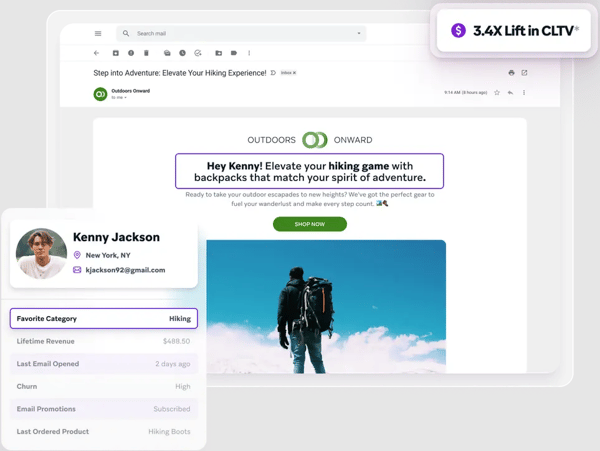
Braze fits this use case based on how G2 reviewers describe its approach to testing and validation at scale. It carries a 66% satisfaction score, which suggests more mixed sentiment overall, but its 94% market presence shows it’s widely used by teams running complex, high-volume programs. G2 review sentiment highlights the importance of testing. Users want to be able to validate templates across channels, user states, and environments before launch, which is crucial when emails are closely tied to dynamic content and real-time personalization.
Braze pros and cons
| Pros | Cons |
| Users like having testing tools embedded into broader campaign tasks rather than handled separately. | Some users note that the platform assumes a higher level of technical setup before testing feels smooth. |
| G2 reviewers also highlight the ability to validate dynamic content before it reaches different user segments. | Others mention template iteration can take longer compared to lighter-weight email tools. |
| Teams find confidence in previewing templates across multiple scenarios tied to customer data. | A few reviewers point out that the learning curve is steeper when testing spans multiple channels. |
Braze alternatives
- Campaign Monitor by Marigold: If you want simpler testing without heavy orchestration.
- Omnisend: If your focus is on ecommerce-driven previews and flows.
- Stripo.email: If you need hands-on control over template rendering.
Which is the best platform for drag-and-drop email design?
My top pick: Brevo Marketing Platform
A drag-and-drop builder earns its keep when I can move fast without fighting the layout. The basics are table stakes. What matters is whether blocks behave predictably and designs stay clean after edits.
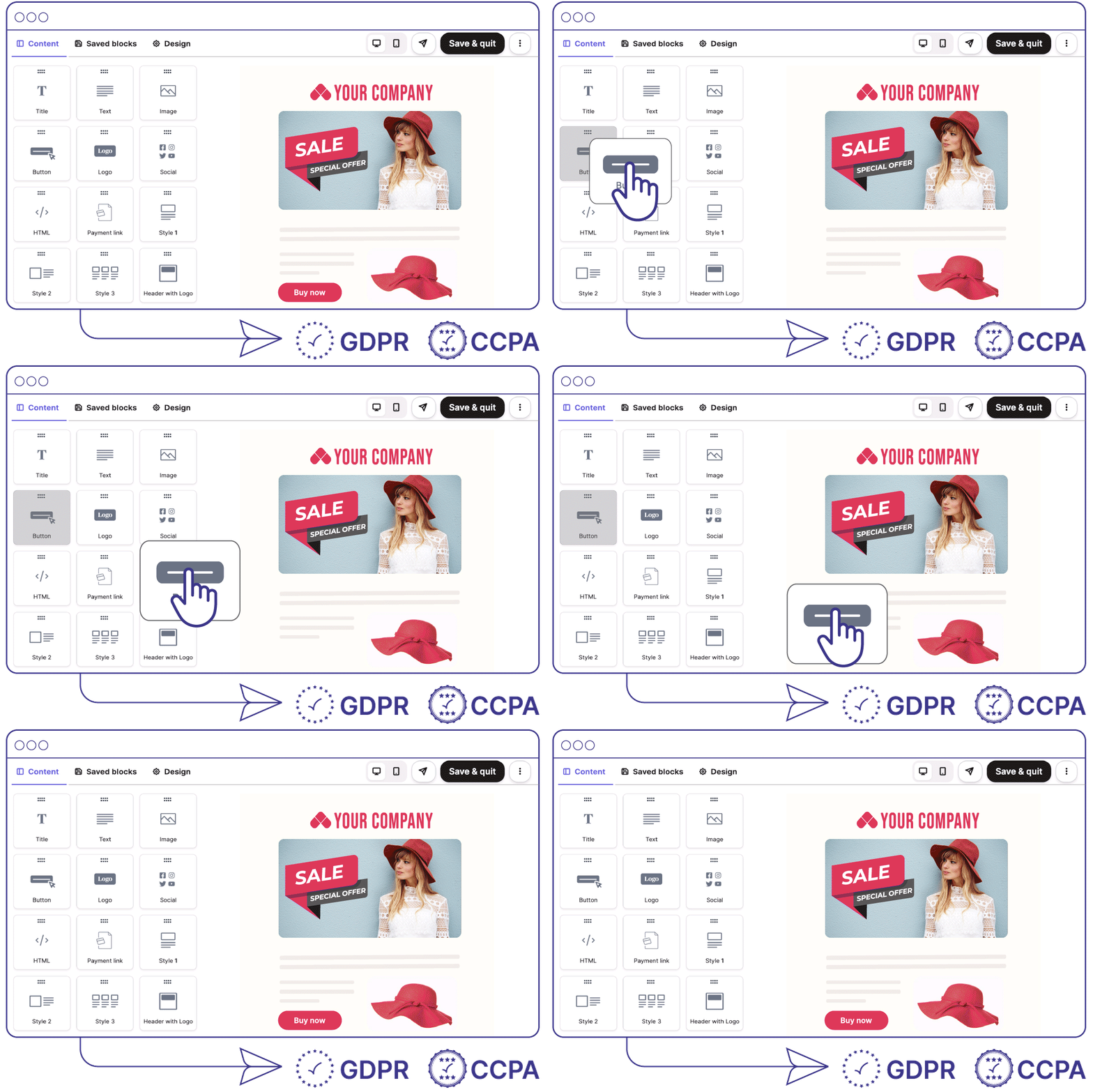
Brevo Marketing Platform is a strong fit here based on how reviewers talk about building emails in the editor. In G2 data, it scores above the 90% mark for ease of use, which supports the theme that teams can assemble templates quickly without needing design support. It also lands a similarly high mark for meeting requirements, suggesting the builder covers what practitioners expect for day-to-day campaign design. Brevo’s drag-and-drop experience proves efficient for iterative work, with G2 users highlighting straightforward edits and templates that maintain their structure.
Brevo Marketing Platform pros and cons
| Pros | Cons |
| G2 users like the block-based editor for putting together emails quickly. | A few reviewers find that complex, highly customized layouts can take additional polishing. |
| Teams appreciate that it stays approachable even for frequent campaign iterations. | Others mention that advanced styling controls are less prominent than in design-first builders. |
| Reviewers also note that making small layout changes typically doesn’t need a full rebuild. | Some users note that the design options can feel more structured than fully customizable. |
Brevo Marketing Platform alternatives
- Beefree: If you want more layout flexibility and design control.
- MailerLite: If you prefer a simpler builder with strong ease-of-use signals.
- ActiveCampaign: If you need drag-and-drop paired tightly with automation logic.
What is the top tool for creating responsive email templates?
My top pick: Omnisend
Responsive design stops being a “nice to have” once emails are opened everywhere except on a desktop. I focus on whether templates adapt cleanly across devices without forcing extra QA or custom tweaks.
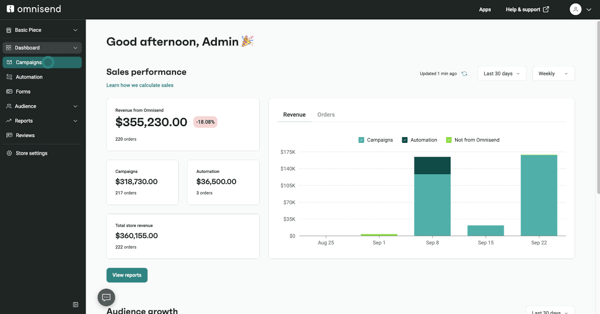
Omnisend fits this use case based on how reviewers talk about consistency across screen sizes. As per G2 data, it earns over 90% for meeting requirements, which suggests users feel the platform delivers on core expectations around layout and rendering. It also scores above 90% for ease of use, a signal that responsive behavior doesn’t need special handling or technical workarounds. G2 review sentiment shows that templates hold their structure on mobile, buttons remain usable, and spacing stays intact across devices.
Omnisend pros and cons
| Pros | Cons |
| Many reviewers point out predictable layout behavior across different screen sizes. | A few reviewers find that highly custom designs may need additional testing. |
| G2 users also like that templates adapt automatically to mobile without extra configuration. | Others mention that responsive controls are mostly automated rather than manually adjustable. |
| Teams appreciate being able to design once and trust the output across devices. | Some users note that advanced layout customization is more limited than in design-first tools. |
Omnisend alternatives
- Stripo.email: If you want more hands-on control over responsive layouts.
- MailerLite: If mobile-first design is your primary focus.
- ActiveCampaign: If responsive templates need to live inside complex automations
Which tool is best for multi-language email templates?
My top pick: Flodesk
Handling multiple languages adds overhead fast, especially when every update needs to stay visually aligned. I focus on whether a builder makes it easy to manage parallel versions without introducing extra complexity.
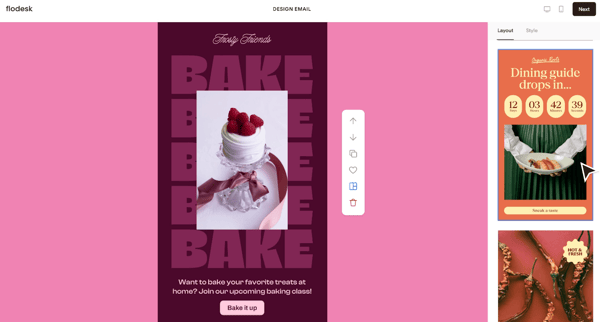
Flodesk fits this use case based on how reviewers describe simplicity and control in everyday use. According to G2 data, Flodesk scores in the low-to-mid 90% range for ease of setup, indicating that teams can prepare templates without requiring extensive configuration. It also earns strong marks for ease of admin, reinforcing that maintaining multiple versions doesn’t require constant oversight. Based on review themes, this tool is noted for duplicating templates, swapping copy for different languages, and maintaining consistent design.
Flodesk pros and cons
| Pros | Cons |
| Many reviewers highlight a clean editing experience that keeps localized versions visually aligned. | A few reviewers point out that it works best when teams manage a smaller set of language variants. |
| Users like how easy it is to duplicate templates and adapt content for different audiences. | Others mention the platform doesn’t offer advanced localization workflows out of the box. |
| Teams appreciate not having to manage complex settings to support multiple language variations. | Some users note that language handling is manual rather than automated. |
Flodesk alternatives
- ActiveCampaign: If you need deeper automation tied to localization
- Braze: If multi-language support needs to scale across regions and channels
- Dotdigital: If you want more structured template controls for large teams.
Design less, decide faster
Choosing the best email template builder isn’t about chasing more features. It’s about removing messy collaboration, automation handoffs, and last-minute rendering checks.
My list of the best email template builders is segmented by use cases. It’s the fastest way to match a tool to the work you’re actually doing, then validate it against what G2 reviewers say. If you’re narrowing a shortlist, I recommend reading recent reviews for your top two picks, then pressure-testing the workflow you care about most.
If I’m pressure-testing a decision or building a case for change, I like to anchor it in benchmarks. Take a look at the latest email marketing statistics on engagement, performance, and usage trends before committing to a new platform.